
App Screenshots
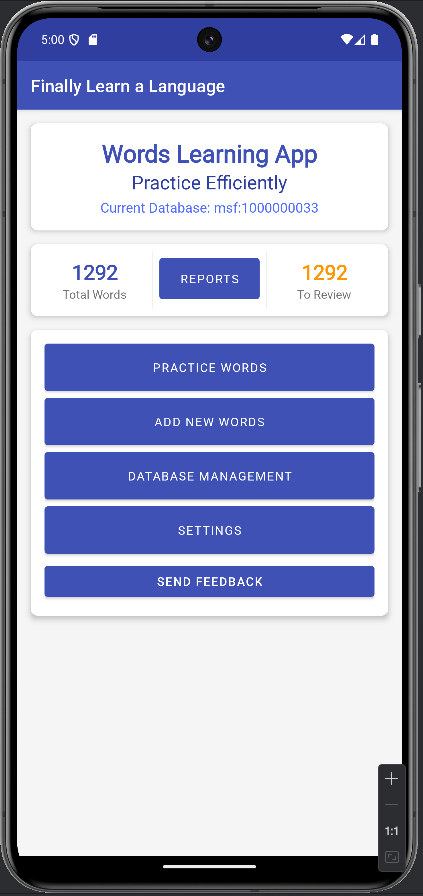
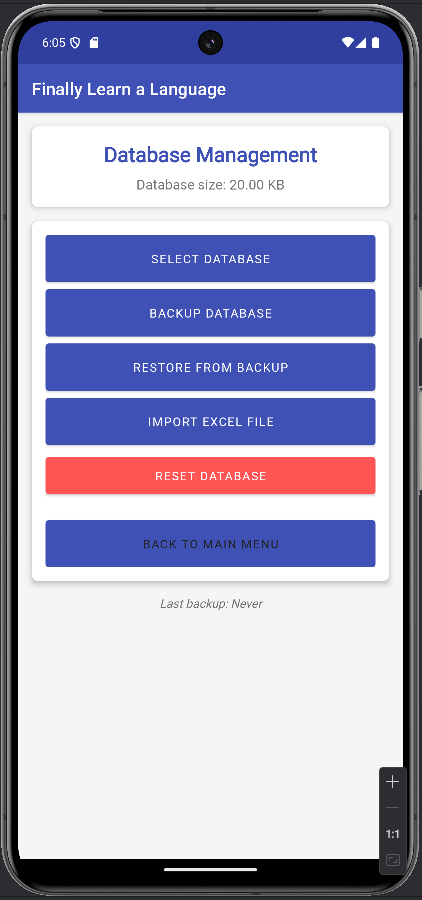
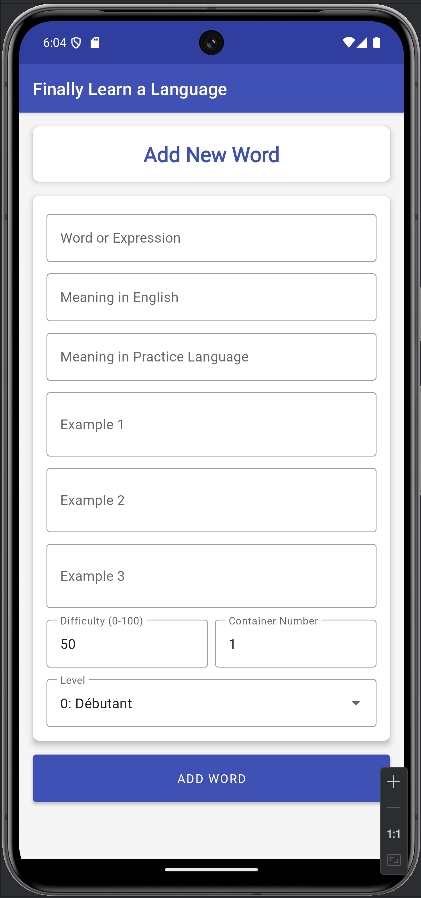
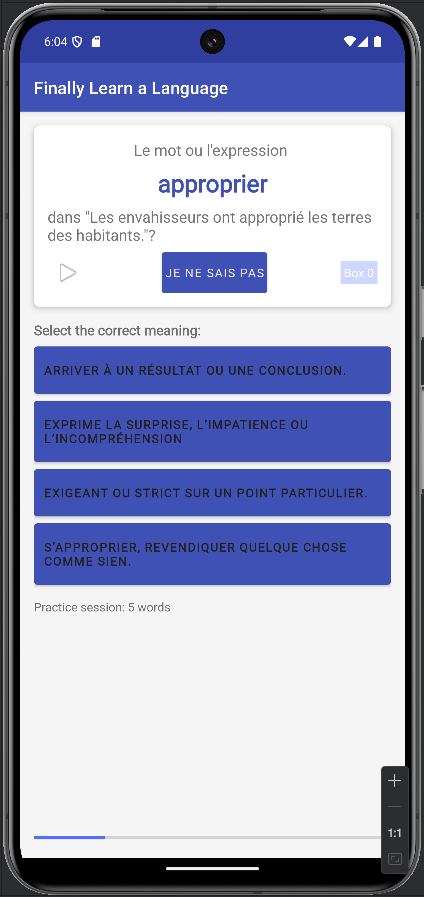
Key Features
Leitner Learning System
Practice words using a scientifically proven spaced repetition system that helps you remember words long-term.
Multiple Databases
Create and manage multiple word databases for different languages or specialized vocabulary sets.
Audio Pronunciation
Hear the proper pronunciation of words and phrases to improve your speaking abilities.
Progress Tracking
Monitor your learning progress with detailed statistics and reports on your performance.
Custom Word Lists
Add your own words and phrases with examples to create personalized learning materials.
Excel Import
Import vocabulary easily from Excel spreadsheets to quickly build your word database.
Excel Import Format
You can easily import vocabulary from Excel (.xlsx) files. Format your spreadsheet as follows:
| Column A | Column B | Column C | Column D | Column E | Column F | Column G | Column H | Column I |
|---|---|---|---|---|---|---|---|---|
| word | meaning_n | meaning_w | example1 | example2 | example3 | difficulty_level | level | leitner_box |
| bonjour | hello | salutation | Bonjour, comment allez-vous? | Je dis bonjour à mes voisins. | 10 | 0 | 1 | |
| merci | thank you | expression de gratitude | Merci pour votre aide. | 10 | 0 | 1 |
Import Notes:
- The first row should contain the column headers exactly as shown
- The “word” column contains the target language vocabulary
- The “level” column accepts values: 0 (Beginner), 1 (Intermediate), or 2 (Advanced)
- The “leitner_box” column accepts values 1-5, with 1 being new words and 5 being mastered words
- Empty cells for example2 and example3 are allowed
- The difficulty_level should be between 0-100
Database Structure Guide
The app uses SQLite databases to efficiently store your vocabulary. Here’s the structure:
Main Tables:
| Table | Description |
|---|---|
| words | Contains all vocabulary items with meanings, examples, and learning metadata |
| databases | Metadata for multiple database management (names, descriptions, statistics) |
Words Table Structure:
| Column | Type | Description |
|---|---|---|
| _id | INTEGER | Primary key, auto-incremented |
| word | TEXT | The target language word or phrase to learn |
| meaning_n | TEXT | Meaning in native/primary language (typically English) |
| meaning_w | TEXT | Meaning in target language (for context and deeper understanding) |
| example1 | TEXT | First example sentence using the word |
| example2 | TEXT | Second example sentence (optional) |
| example3 | TEXT | Third example sentence (optional) |
| difficulty_level | INTEGER | Subjective difficulty rating (0-100) |
| level | INTEGER | Proficiency level (0=Beginner, 1=Intermediate, 2=Advanced) |
| leitner_box | INTEGER | Current Leitner box position (1-5) |
About the Project
“Finally Learn a Language” was my first Android app development project. As a language learner myself, I wanted to create a tool that would help me and others efficiently build vocabulary using proven memory techniques.
The app is built with native Android technologies using Java and Kotlin, with SQLite for database management. It implements the Leitner System, a proven spaced repetition method for efficient learning.
Key technologies used in this project:
- Java/Kotlin for core Android development
- SQLite for local database storage
- Android Jetpack components for UI
- Apache POI for Excel file handling
- Android Text-to-Speech for pronunciation
This project taught me a tremendous amount about Android development, database design, and creating efficient learning tools.
Ready to Finally Learn a Language?
Download the app now and start building your vocabulary efficiently!
Download Now